SaaS Integration Pages: Explain the Connection Beyond the Logo
Turn a SaaS integration page into a clear buying guide with supported workflows, data direction, setup requirements, plan limits and proof.
A visitor finds their CRM logo on your integrations page and feels reassured. Then they open the details and discover a sentence about connecting their tools, followed by a signup button. The important question is still unanswered: what will this connection actually do?
A logo confirms that you are talking about a familiar product. It does not explain the data exchanged, the direction of travel, the setup required or the limits that could block the visitor's workflow.
A strong SaaS integration page gives a buyer enough detail to judge fit before creating an account. It also helps the person responsible for setup understand the next step.
Review one integration page from promise to documentation. The worked example is fictional, and none of the example connections are integrations offered by Improve My Page.
1. Put the supported task beside the product name
'Connect your CRM' names two products without describing the result. 'Create a sales task when a customer requests an upgrade' gives the reader a workflow to assess. It also creates a concrete promise your product and documentation must support.
Start with the event, the action and the destination. Explain which product initiates the change and where the result appears. Avoid the word sync when the connection only sends a notification or exports a file. Buyers may interpret sync as ongoing updates in both directions.
Name the kind of connection in plain language. Is it built and maintained by your team, installed through another provider, implemented through a public API, or completed with a manual export? Each can be useful, but each asks different things of the buyer.
In the directory, pair each logo with a task and its availability. Group by job, such as sales handoff or reporting, and add product-name search when the list becomes difficult to scan.
Fix
Ask someone unfamiliar with the product to describe what changes in which tool. Rewrite the opening if they cannot.
The first screen still needs to explain the product and the outcome for someone arriving directly from search.
Check your first-screen message2. Explain the data, direction and timing
A connection can support new records without supporting updates to existing records. It can copy a contact's email address without copying notes or attachments. Those distinctions determine whether the integration fits the buyer's process.
Describe the record types and meaningful fields in business language. State whether existing records are imported, whether only future events are included, and whether changes travel one way or both ways. Put unsupported actions beside the supported workflow when the limitation could change a purchase.
Timing also needs a precise description. Zapier's trigger documentation distinguishes periodic polling from instant triggers that receive events through webhooks. Its polling interval depends on the plan. The lesson for your own page is to verify the specific trigger and conditions before promising immediate updates.
A small diagram can make the direction visible: source event, fields sent, destination action. Give it a text explanation as well. The reader should be able to understand the connection without deciphering arrows or a tiny screenshot.
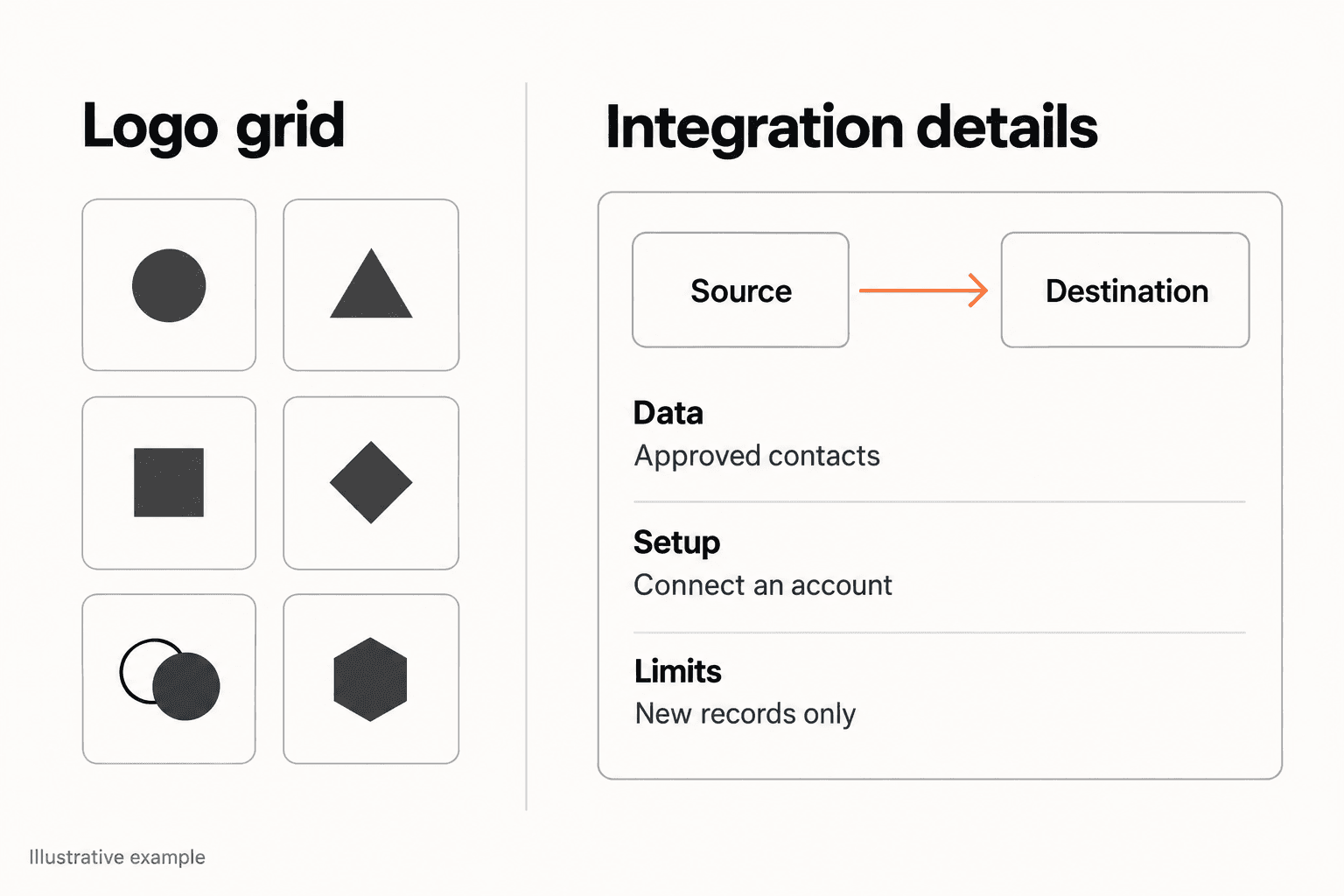
- What starts the workflow: a new record, a status change or a manual action?
- Which fields reach the destination, and which are excluded?
- Do edits or deletions travel back to the source?
- What determines timing, and are historical records included?
Fix
Replace broad synchronization language with one observable event and its supported result.
3. Make permissions, plans and setup visible before the CTA
An integration can work well and still disappoint a buyer who discovers too late that it requires a different plan, an administrator or a separate paid service. Put material prerequisites where someone can read them before starting setup.
Explain who connects the accounts, what they authorize and whether an administrator may need to approve the installation. Slack's OAuth documentation, for example, describes requested scopes and user approval as part of app installation. A familiar authorization screen does not remove the need to explain why access is requested.
Keep the public explanation short: the permission category, its purpose and a link to the current detailed documentation. Do not make an unsupported claim that the app has no access to data merely because the connection is described as read-only. Reading data is still a form of access.
List the required plans on both sides and any separate provider account. If setup time varies with field mapping or approval, describe the steps instead of inventing a universal time estimate. 'Authorize the account, choose the project and send a test record' is more useful than an unverified promise of one-click setup.
Fix
Have a new account owner follow the public instructions and record every prerequisite they discover only after clicking.
When availability depends on a plan or an extra service, make the total commitment visible.
Review pricing and plan friction4. Build a useful integration detail card
This fictional example connects QueueNote, a feature-request tool, with Project Harbor, a task tool. The products, connection and limits are invented for illustration.
The weak card says 'QueueNote + Project Harbor: keep your team in sync'. The improved headline says 'Create a Project Harbor task when you approve a feature request'. The explanation adds: 'QueueNote sends the request title, description and source link to your chosen project after an owner approves the request'.
A details block then states the boundaries: one-way task creation; new approvals only; existing requests are not imported automatically; comments and later status changes are not copied back. These statements help a reader decide whether the connection solves their particular handoff problem.
The fictional setup block says that a QueueNote owner must connect an account with access to the destination project, choose the project and send a test request. It names the imaginary eligible plans and points to setup instructions. A published version would replace every invented detail with verified product behavior.
Finally, the card offers 'Read setup requirements' and, for eligible signed-in users, 'Connect Project Harbor'. A screenshot could show a request beside the resulting task, labelled as a demonstration. It would prove the shape of the result, not that customers saved a particular number of hours.
Fix
Draft the details block before polishing the logo treatment. If the block is hard to write, clarify the actual capability with the product owner.
5. Explain what happens when the connection cannot complete
Buyers evaluating an operational workflow need to know whether missed events become visible and who resolves them. Explain the practical next step without publishing an engineering runbook.
Document meaningful limits: supported record types, field sizes, volume allowances, required destination permissions and what happens after an account disconnects. Where the integration has a status screen or failure notification, show where the user finds it. If support must intervene, say so.
Recovery behavior varies by platform. GitHub's documentation states that it does not automatically redeliver failed webhook deliveries and describes manual or coded recovery options. That is a specific platform example, not a rule for every integration. It shows why you should verify retry behavior instead of assuming it.
A useful public boundary might say that a connection creates new tasks but does not reconcile earlier failures automatically. Link to recovery instructions for the operational detail. Avoid describing data retention or deletion after disconnection unless the responsible team has confirmed the actual behavior.
Fix
Choose one realistic failure condition and confirm that the page or linked documentation explains the user's next action.
6. Show the result and verify the complete explanation
Use evidence that matches the claim. A destination screenshot can show what an exported record looks like. A short walkthrough can show authorization and field mapping. Neither establishes long-term reliability or a measured improvement in customer productivity.
Use authorized demonstration data and remove private information. Caption the source event, result and any omitted step. Label mockups clearly so buyers do not mistake planned behavior for a released feature.
Review the page against the setup instructions and the actual eligible account. Follow the CTA, confirm the stated plan requirements and run a permitted test workflow. Have a product owner check the data direction, permissions and limitations. Revisit the content when those details change.
A public-page review can assess visible clarity, links, proof and technical presentation. Testing an authenticated connection needs appropriate account access and a separate workflow check. Keep those forms of verification distinct when deciding whether the integration is ready to promote.
- Pass: a buyer can state the trigger, destination and result.
- Improve: a capability is described, but its plan or setup requirements are hard to find.
- Missing: a material claim has no confirmed product behavior or supporting documentation.
Fix
Resolve missing capability information before adding more promotional copy or sending more traffic.
Choose a CTA that reflects whether the visitor is checking requirements, installing a connection or evaluating the product.
Make the next step explicitReview your public integration page
Make the connection clear before buyers sign up
Improve My Page can review the submitted public page for message clarity, proof, CTA friction, mobile presentation and technical signals. Use the findings to improve the explanation, then verify installation and data behavior separately in the connected products.
Check your integration pageSummary
| Problem | Diagnostic signal | Fix |
|---|---|---|
| The logo is the whole explanation | Readers cannot describe the supported task | Name the trigger, action and destination |
| Sync implies more than the product supports | Direction, fields or timing are absent | Explain the actual exchange and excluded behavior |
| Requirements appear after signup | An unexpected plan, account or permission is needed | Place material prerequisites before the CTA |
| The example implies unverified results | A mockup is presented as customer evidence | Label demonstrations and show only supported claims |
| Failure handling is unexplained | Users cannot find the next action after a missed event | Link to verified status and recovery instructions |
The most useful integration page answers a small set of operational questions well: what happens, where the data goes, what setup requires and where the connection stops. Start by making those answers visible.
Then align the screenshot, documentation and CTA with the same supported workflow. Buyers can assess fit more confidently when the page describes the connection they will actually install.
FAQ
What should a SaaS integration page include?
Include the supported workflow, data direction, meaningful fields, setup prerequisites, eligible plans, important limits, a result example and the appropriate next step. Link to maintained setup documentation for detailed instructions.
Should every integration have its own page?
Use a dedicated page when there is enough distinct information to answer a buyer's questions. A logo and a repeated generic paragraph rarely justify another page. A concise directory entry can work for a simple connection with clear linked documentation.
Is a native integration always better than a third-party connection?
No. Compare the task supported, setup effort, costs, ownership and limits. Explain which kind you offer so the buyer can evaluate the tradeoff in their own environment.
Can I describe an integration as real-time?
Only when the wording accurately reflects the specific workflow and any conditions. Verify the trigger type and delivery behavior. Prefer a precise explanation to a broad speed claim you have not tested.
Can a public-page audit confirm that an integration works?
It can assess what the public page explains and exposes. It cannot establish that account authorization, field mapping, data delivery or failure recovery work inside connected accounts. Those require separate authorized workflow checks.